Reminder FLEX & Photo BP android app official site
Celestial Brain -Mobile app developer-
  • Google Play Store
    • Reminder FLEX
    • Instart BP Tracker
  • Reminder FLEX FAQ
  • Photo BP FAQ
  • News & updates
  • Contact us
  • Reminder FLEX FAQ
  • Instant Blood Pressure Tracker FAQ
  • Google Play Store

How to DONE repeating Reminder when I don’t need to repeat any longer?

Repeat
2025.08.07 2022.09.06

For Free version:

Open “Edit”.
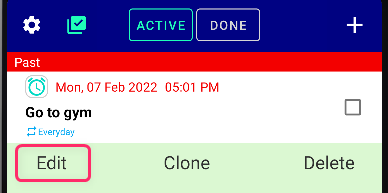
Go to “Repeat”.
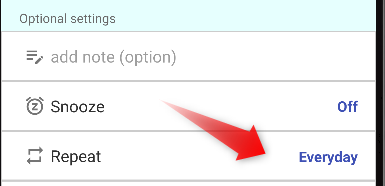
Turn it OFF.
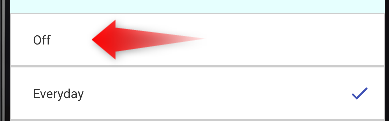
Then SET.
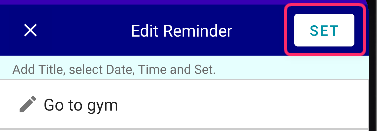
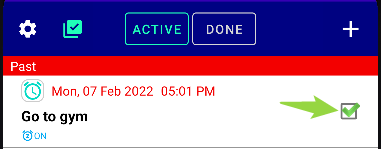
Now if you tick the checkbox, it will move to DONE page.
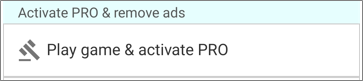
NOTE: You can activate PRO with just playing the game in Settings page!
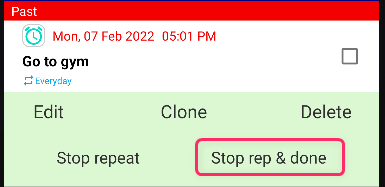
For PRO:

Just press “Stop rep & done”.
Repeat
TwitterFacebookはてブPocketLINEPinterest
Celestial Brain -Mobile app developer-

FAQ page

Reminder FLEX on Google Play Store

Related posts

Repeat

Repeat alert every 1 min or specific minutes

Do you want to repeat your notification, Text-to-speech or alarm every 1 minutes or every several minutes again and agai...
Repeat

How to repeat for multiple days (Mon, Wed, Fri, etc)

If you want to repeat like Mon, Wed, Fri for a reminder. For free user Just select "Every week" for Repeat. Then you c...
Mute beginning of Text-to-speech beep sound
How to Stop Snooze?
ホーム
Reminder FLEX
FAQ
Alarting
Repeat

Reminder FLEX FAQ

Instant Blood Pressure Tracker FAQ


Reminder FLEX nagging you so you won't miss your tasks. Super easy yet flexible.

Recent Posts

  • Hourly Reminder Android App with Voice, Notifications, and Alarms
  • Android Reminder App That Notifies or Rings at the Same Time Every Day
  • Talking Time Signal for Android – A Voice Announcing Reminder App
  • Talking Android Reminder for People Who Struggle with Scheduling
  • Get Early Alerts for Birthdays & Anniversaries with This Android Reminder App
Celestial Brain -Mobile app developer-
  • Contact us
© 2022 Celestial Brain -Mobile app developer-.