GeneralSearch for reminders/tasks in the list. This article explains how to search for reminders (tasks) in the list. Search the ACTIVE List Tap the magnifying glass... 2026.07.10General
RepeatChange the next repeat date or time only Here is how to change the date or time of a repeating reminder for the next occurrence only. Examples You normal... 2026.07.10Repeat
AlarmMorning Alarm Not Ringing? Device Auto Restart May Be the Cause When using Reminder FLEX as a wake-up alarm, if the alarm does not ring in the morning for some reason, the cause is tha... 2026.06.29Alarm
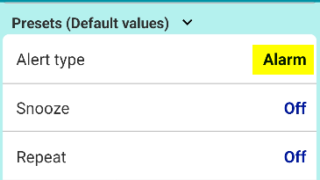
AlartingHow to change default alert type? To have a specific alert type, such as "Alarm," pre-selected by default when creating a new reminder, you can change the... 2026.04.05Alarting
PROCancel subscription & Check the next billing day Open Google Play Store app. Tap your account. Then follow below. Press "Cancel subscription" and done. A... 2026.03.27PRO
PROWhat happens after the free trial ends? [Reminder FLEX] Some features in Reminder FLEX marked with a ★ are premium features. Many of these premium features come with a free tr... 2026.03.27PRO
GeneralHide tips & (❓) links If you are using the Paid PRO version, you can hide the (❓) links/hint links/tips links/help links by following t... 2026.03.13General
SnoozeOne tap snooze buttons don’t show. Here is why. These 1 tap snooze buttons (also in notifications) may not appear in some cases. The 1 tap snooze button only appea... 2026.03.02Snooze
GeneralRed/Yellow bell icon is appearing on the settings icon This guide explains the causes and solutions for when a yellow or red bell icon appears on the Settings icon. If... 2026.02.25GeneralTroubleshooting
NotificationFull-screen notifications: how to use it? the Full-Screen Notification feature has been implemented. (from Ver.28) In the case of a standard notification, it a... 2026.02.25Notification