We often receive requests for category or group organization, and in Reminder FLEX, you can organize your reminders by color.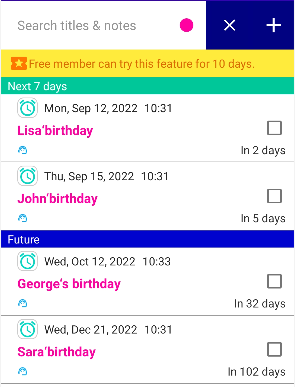
For example, suppose you want to display only birthdays in the list like the example above.
When creating or editing a reminder, if you are registering someone’s birthday,
select the same title color each time.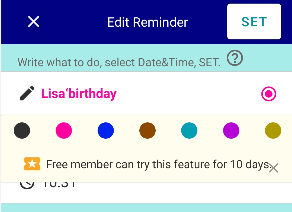 In this example, you would select pink each time you register a birthday.
On the list screen, tap the search icon 
and select pink.Then, only the birthdays will be displayed in the list.
In other words, you can use colors to categorize (or group) your reminders.
You can also assign category names
You can set this in Settings → Presets → Category names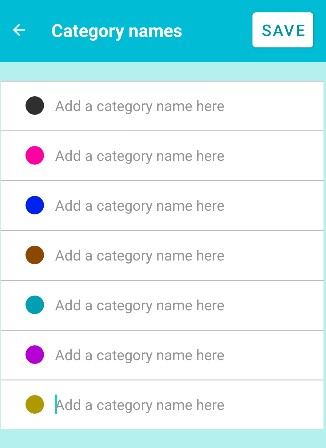
You can also hide specific colors
In addition, you can hide specific colors from the list at all times.
※The color-coded category feature is a premium feature, but you can try it for free for 10 days in the free version.