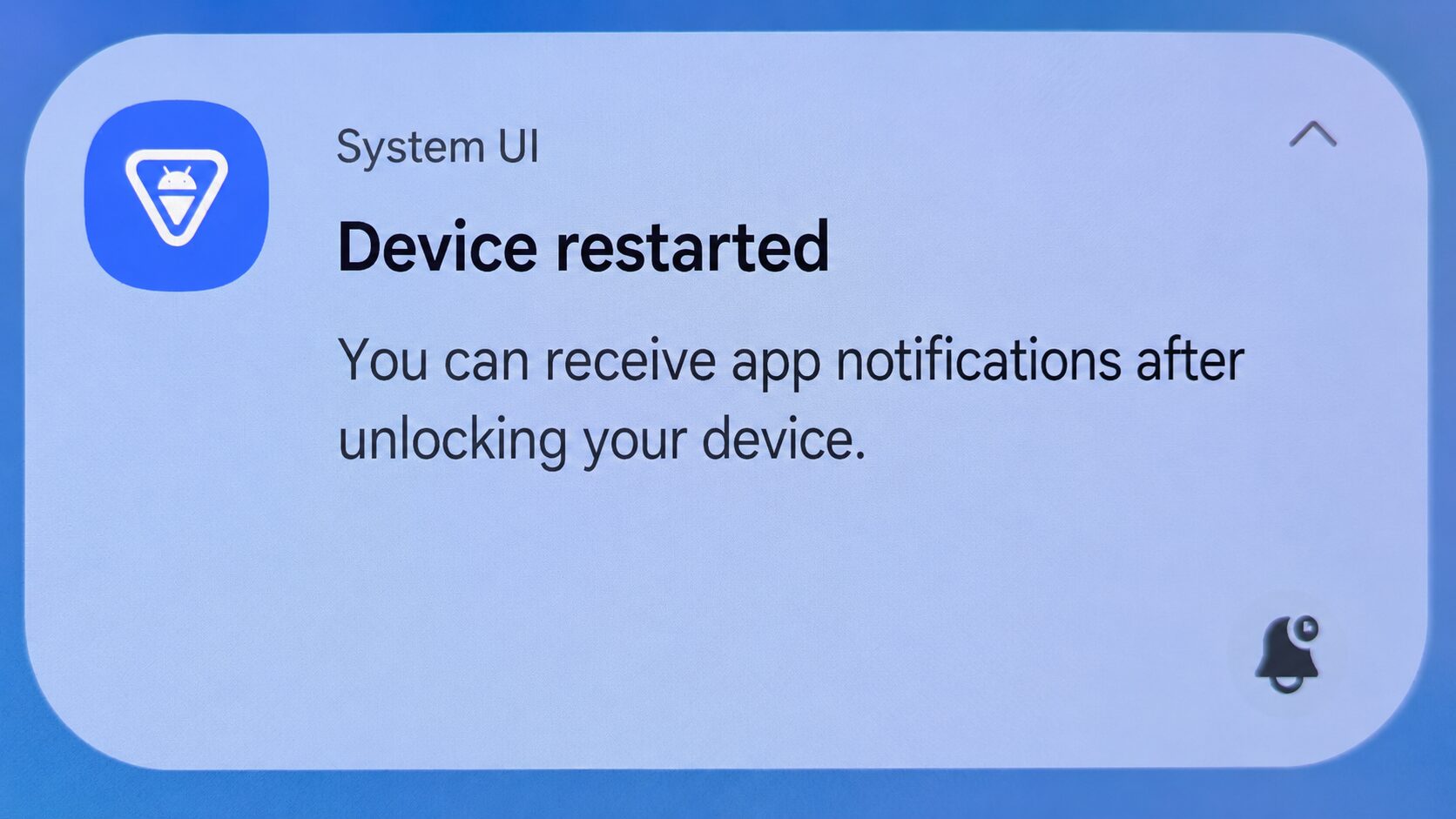
When using Reminder FLEX as a wake-up alarm, if the alarm does not ring in the morning for some reason, the cause is that your device automatically restarted during the night, and you have not unlocked the screen after the restart.
- Please update the app to version 30.2 or later.
- If the alarm still does not sound, please disable automatic restart on your device.
- What to Do If You Cannot Stop Your Device from Restarting at Night
- Why Does an Alarm App Fail to Ring in the Morning After a Nighttime Restart?
- If the Alarm Sometimes Does Not Ring Even Though the Device Has Not Restarted
Please update the app to version 30.2 or later.
By updating to version 30.2 or later, alarms scheduled for the morning will sound even if your device restarts during the night.
(Notifications and voice alerts will not work until the device has been unlocked after restarting.)
This update improves the reliability of the app as an alarm clock, so please make sure to update the app.
If the alarm still does not sound, please disable automatic restart on your device.
Google Pixel: If you do not unlock your device for 3 days, it will automatically restart. You need to unlock it at least once within 3 days.
Samsung Galaxy: Go to your device Settings → Device care → Auto optimization → Turn OFF Auto restart.
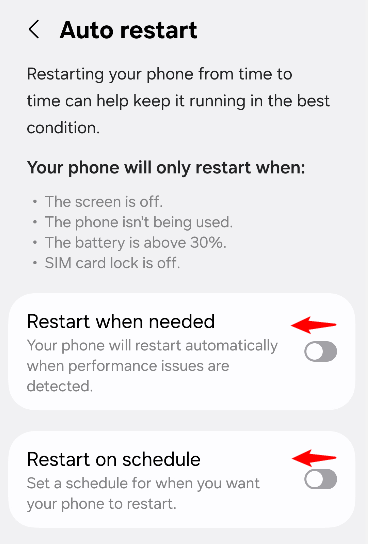
Oppo/ColorOS: Go to Settings → Additional settings → Automatic power on/off, and disable it.
Other devices: Similarly, search your device settings for keywords such as “auto restart,” “restart,” or “auto power,” and make sure your device does not automatically restart during the night. This can help prevent alarm failures.
What to Do If You Cannot Stop Your Device from Restarting at Night
If you cannot stop your device from restarting at night, we strongly recommend setting the built-in alarm on your device as a backup.
This is because the built-in alarm app on your device can usually still work even after the device restarts at night, without you unlocking the screen.
Why Does an Alarm App Fail to Ring in the Morning After a Nighttime Restart?
On Android, after the device restarts, third-party apps cannot start unless you manually unlock the device first.
*Update: In Reminder FLEX Ver.30.2 and later, even if your device restarts during the night and you have not unlocked the screen after the restart, the morning alarm will still sound.
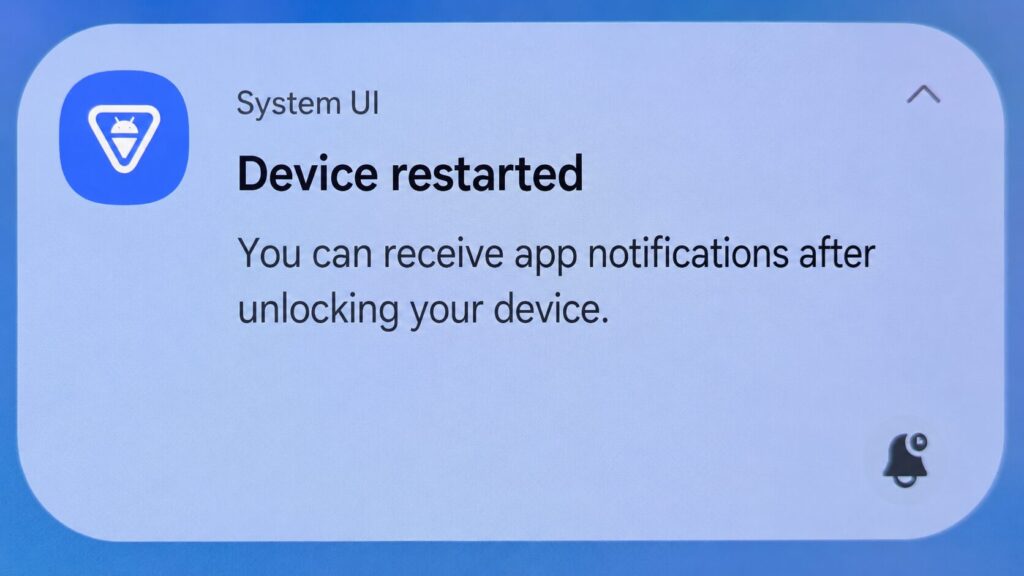
However, you still need to unlock the screen for notifications, voice alerts, and subsequent alarms to work properly. Therefore, if you see a notification like the one shown in the image, please make sure to unlock your screen after you wake up.
If you want Reminder FLEX to always work normally, including notifications and voice alerts, please turn off the automatic restart feature on your device.
If the Alarm Sometimes Does Not Ring Even Though the Device Has Not Restarted
Please check the following settings.
Go to the settings screen in Reminder FLEX.
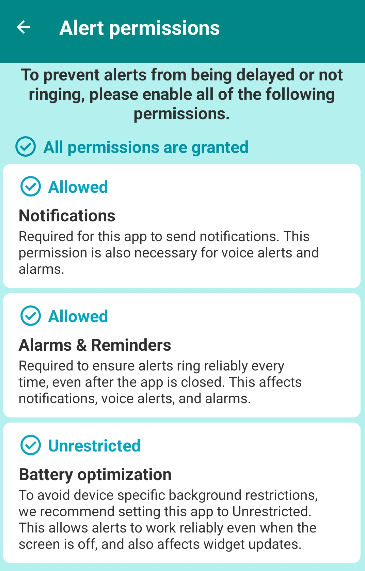
1. Alert permissions → Check that all permissions are allowed
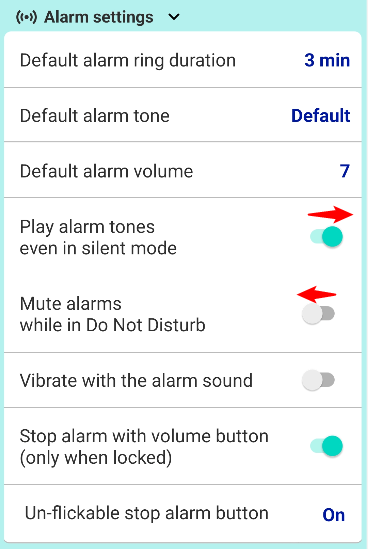
2. Alarm settings → Make sure “Play alarm tones even in silent mode” is turned ON
3. For Chinese-brand devices such as Oppo and Xiaomi, please turn ON AutoStart.
→How to Enable AutoStart and Exclude Reminder FLEX from Battery Optimization by Manufacturer
This should make the alarm ring properly every time.