If alerts such as “Notification, Alarm, or Text-to-speech” do not ring or arrive, please check the following.
1. Are all alert permissions granted?
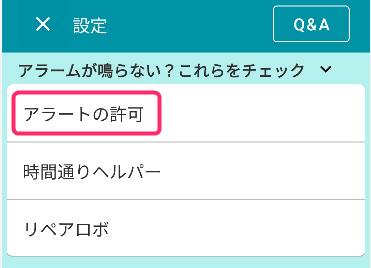
1. Go to Settings -> “Alert Permissions” under “If alerts don’t ring”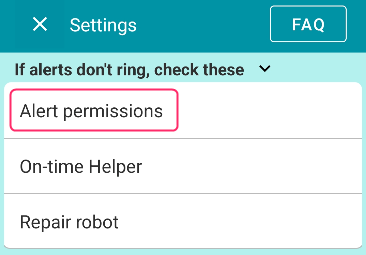
Please confirm that “All permissions are granted” is displayed.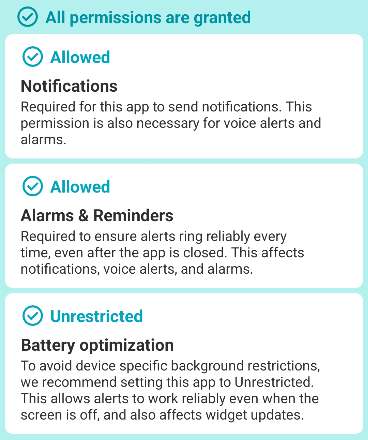 Even for notifications, both “Alarms & reminders” and “Battery optimization”
must be set to “Allowed” and “Unrestricted”.
If they are not, please tap each one and set them to Allowed/Unrestricted.
For Chinese-made devices, AutoStart settings are also required.
Devices from Chinese manufacturers such as
Oppo, Realme, OnePlus, Xiaomi, Redmi, POCO, VIVO, IQOO, Infinix, TECNO, Huawei, HONOR etc.,
require unique settings like AutoStart to ensure alerts ring every time.
👉 Please see this article for instructions.
2. Prevent your device from restarting automatically
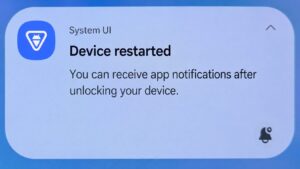
If your device automatically restarts during the night, alarms and notifications cannot sound unless you manually unlock the screen. Therefore, if you use Reminder FLEX as a wake-up alarm, please set your device so that it does not restart automatically.
→ How to prevent morning alarms from not ringing due to a device restart
3. If notifications do not ring
Go to Settings -> Notification Settings “Settings”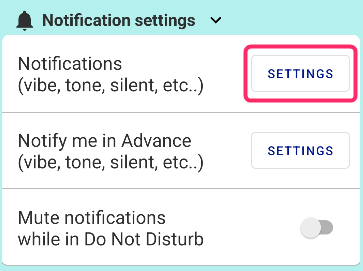
On this screen, please double-check that “Default” and “Pop on screen” are ON, and that a notification sound is properly set.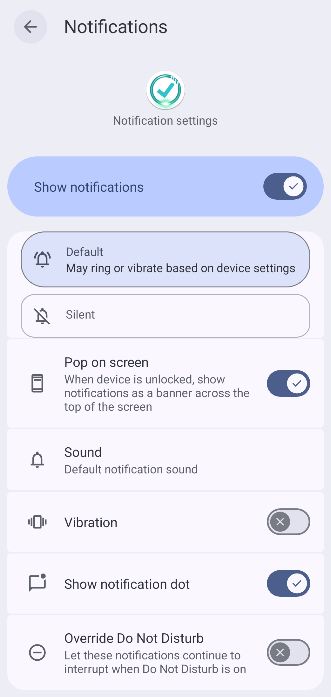
Also, try toggling the “Show notifications” switch off and on again.
4. Repair Reminders
If you experience unusual issues, such as a reminder at a specific time not ringing every time:
Go to Settings -> Repair Robot -> and press “Repair Alarms”.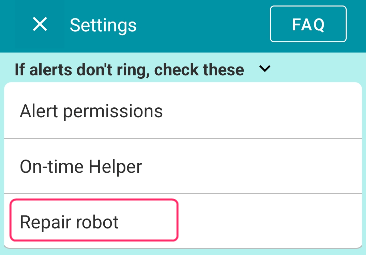
If deleted reminders still ring, click here
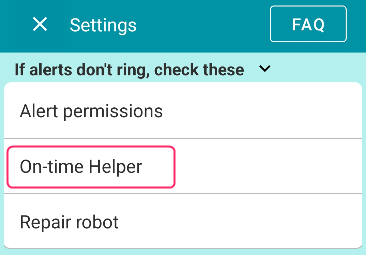
5. Try the On-Time Helper
Only if the issues persist after trying all three settings above, please turn on the necessary switches for the “On-Time Helper”. (Alarm and Snooze are ON by default)
6. If alerts still occasionally fail after the above steps
If the alerts remain unstable after trying these steps:
We need diagnostic data to understand what is happening with the app on your device.
Go to Settings -> Contact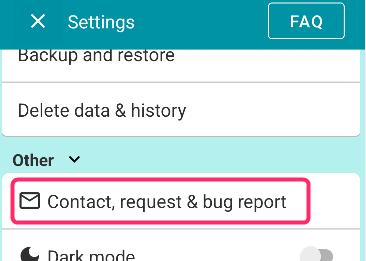
Please enter your email and send it with the “Diagnostic Data” checkbox checked ✅.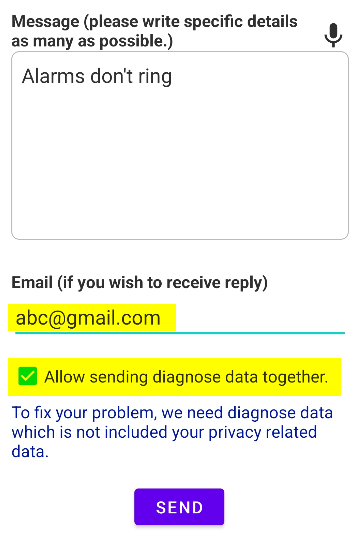
This allows us to check for any bugs occurring within the app on your specific device.