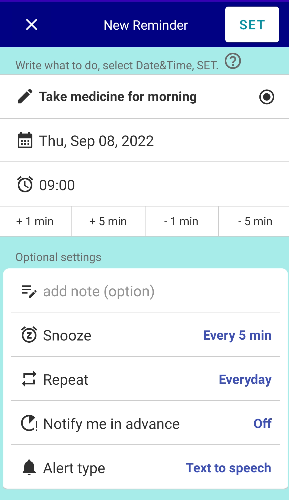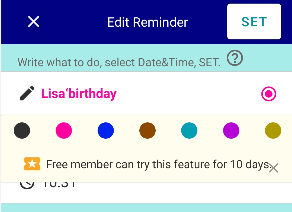
You can assign a category name to each title color and use it as a category.
Go to Settings → Presets → “Category Names”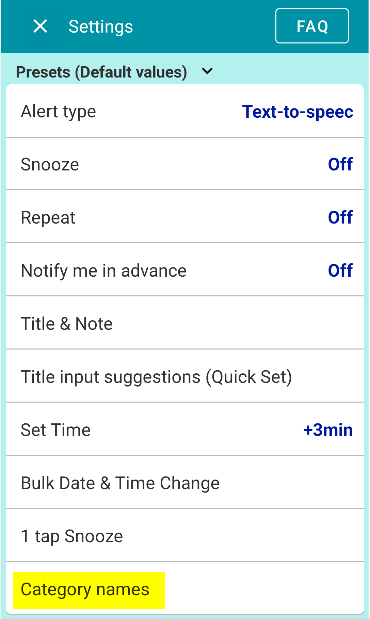
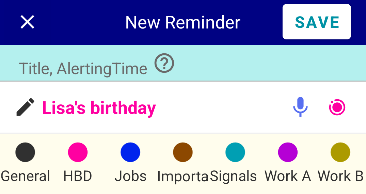
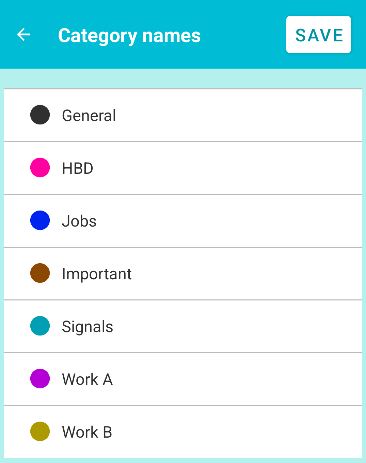 As shown in the image above, you can give each color any category name you like.
Organize reminders into categories by color
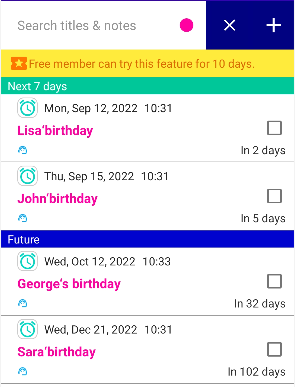 For example, suppose you want to display only birthday reminders, as shown above.
When creating a reminder for someone’s birthday,
select the same title color each time.In this example, you would select pink every time you create a birthday reminder.
On the reminder list screen, tap Search.
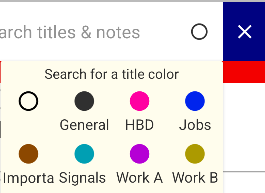 Select Pink (HBD).
Only birthday reminders will then be displayed in the list.
In other words, you can organize and display reminders by category (group) using colors.
※The Title Color feature is a Premium feature. Free users can try it for 10 days.
You can also permanently hide specific colors
You can also permanently hide reminders with specific colors from the list.