Do you want to change to different TTS voice? Your device might have another voice!
Open Settings of your device.

Search for “text-to-speech”

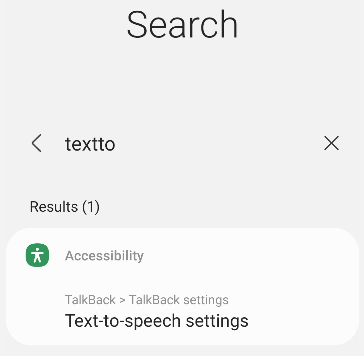
select “Text-to-speech settings”
Or also you can find it at:
Pixel
Settings > system > language & input > Text-to-speech
Galaxy
Settings→General management→Text-to-speech output
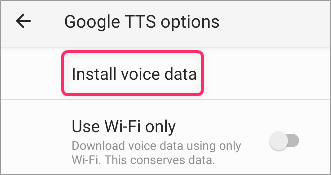
Go to Install voice data
Now press gear icon of Prefferd engine
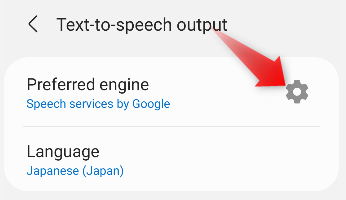
Install voice data
Now select languages whichever you want to change the voice.
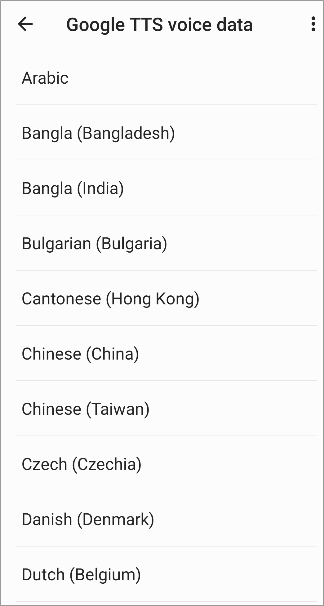
Now you can select the voice!
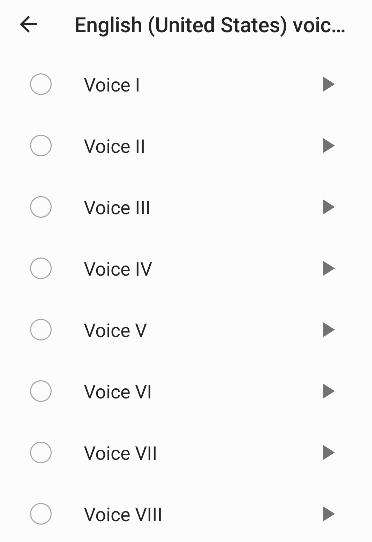
Also different engine has diffenret voices
Tap “Preferred engine”
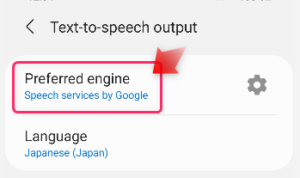
Then, if there is a selection, try different engine too.
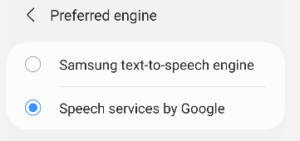
because each engine has different voice data.
then go to gear icon & Install voice, select voice again.
Note: On recent versions of Android, the Galaxy text-to-speech engine is treated as a private engine and can no longer be used by Reminder FLEX. Even if you select it, the voice from the Google text-to-speech engine will be used instead.
If your device doesn’t have Google engine, you can install!
If your device genuine engine doesn’t have your prefered languages or it’s not working well, try Google engine. if there is no Google engine:
Install “Speech Services by Google” from Google Play Store.
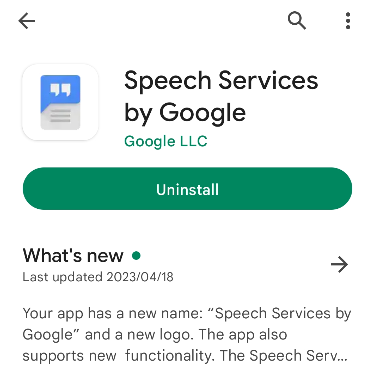
Then, Google text-to-speech engine will be added.
Then back to Reminder FLEX app settings -> text-to-speech language.
Now there should be your languages too.
Hope this help you!