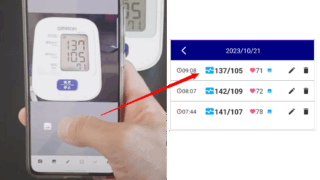
GeneralAuto save after scan With Auto-save switch is on, after taking or select a photo, edit screen is skipped and automatically save your read... 2023.10.15General
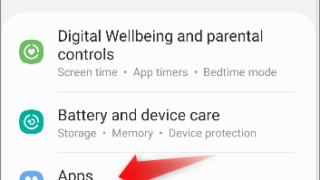
TroubleshootingI wrongly denied permission If you wrongly denied permisson, you need to allow them from settings to use app features. First, go to settings of y... 2023.10.12Troubleshooting
PROFAQ about PRO Check the next billing day & Cancel PRO subscription You can check next billing day & cancel subscription from ... 2023.10.07PRO
PRORecover PRO Did you purchase PRO before, but now your app is free version? E.g. you re-install the app or you install the app to new... 2023.10.07PRO
BackupHow to restore the backup data? Where is backups? In the device: Downloads > Photobp_Backup Google Drive: Google Drive > My Drive > Phot... 2023.10.06Backup
Blood Pressure Log: Quick ScanTerms of Use & Disclaimer (Instant Blood Pressure Tracker) Terms of Use By downloading or using the app, these terms will automatically apply to you – you should make sure ther... 2023.10.02Blood Pressure Log: Quick Scan
Blood Pressure Log: Quick ScanInstant Blood Pressure Tracker Privacy Policy Privacy Policy Celestial brain built the Instant Blood Pressure Tracker app as an Ad Supported app. This SERVICE is... 2023.10.02Blood Pressure Log: Quick Scan
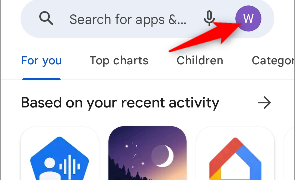
PROCancel free trial/subscription & Check the next billing day Open Google Play Store app. Tap your account. Then follow below. Press "Cancel subscription" and done. A... 2022.08.26PRO
 GeneralGeneral
 Troubleshooting
 PRO
PRO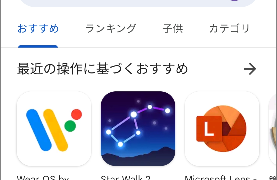 PRO
PRO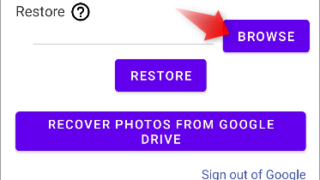 Backup
 PRO
PRO