Reminder FLEX & Photo BP android app official site
Celestial Brain -Mobile app developer-
  • Google Play Store
    • Reminder FLEX
    • Instart BP Tracker
  • Reminder FLEX FAQ
  • Photo BP FAQ
  • News & updates
  • Contact us
  • Reminder FLEX FAQ
  • Instant Blood Pressure Tracker FAQ
  • Google Play Store

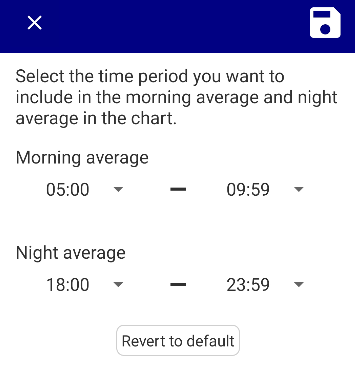
Time period included in morning & night average

General
2025.08.07 2025.06.08

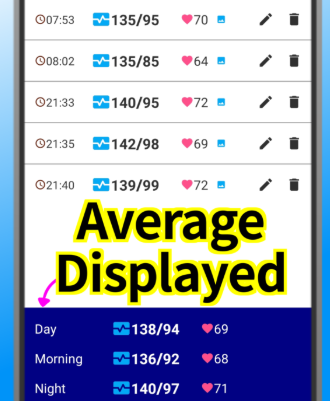
You can change the time period when the average value is calculated when multiple measurements are taken on the same day.
 

General
TwitterFacebookはてブPocketLINEPinterest
Celestial Brain -Mobile app developer-

FAQ page

Instant BP Tracker on Google Play Store

Related posts

General

Calender View: How to show

You can switch by tapping the calendar icon in the upper right corner. You can set the calender as default from set...
General

Treat measurements taken after midnight as part of the previous night.

“I measured my blood pressure before going to bed, but it was already past midnight!💦” If you want measur...
General

Using BP list

Tap to View Details Tap a record to view its details. Delete a Record If you want to delete the record itself, ...
General

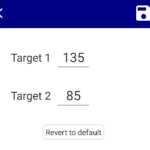
Change target values on the chart

You can change your blood pressure goal numbers that you want to display on the chart.
General

What is Pulse Pressure?

Pulse pressure is the difference between systolic and diastolic blood pressure. It is generally considered normal to ...
General

Apply to missing-side/posture records

*This feature is available on app ver.12 or later.(Update the app) When the checkbox is ON,  it will apply the default ...
Change target values on the chart
How to use backup feature?
ホーム
Instant Blood Pressure Tracker
FAQ
General

Reminder FLEX FAQ

Instant Blood Pressure Tracker FAQ


Reminder FLEX nagging you so you won't miss your tasks. Super easy yet flexible.

Recent Posts

  • Scan Blood Pressure Monitor & Log Readings Automatically with Android App
  • Hide tips & (❓) links
  • Calender View: How to show
  • One tap snooze buttons don’t show. Here is why.
  • Red/Yellow bell icon is appearing on the settings icon
Celestial Brain -Mobile app developer-
  • Contact us
© 2022 Celestial Brain -Mobile app developer-.