Reminder FLEX & Photo BP android app official site
Celestial Brain -Mobile app developer-
  • Google Play Store
    • Reminder FLEX
    • BP Log: Scan&Go
  • Reminder FLEX FAQ
  • BP Log FAQ
  • News & updates
  • Contact us
  • Reminder FLEX FAQ
  • Blood Pressure Log: Scan & Go FAQ
  • Google Play Store

Where is PDF?

General
2025.08.19 2023.12.02

PDF is in Downloads folder.

How to access to Downloads folder?

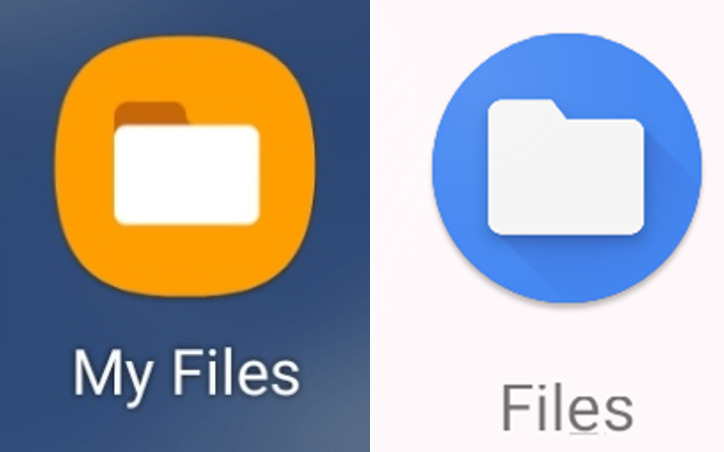
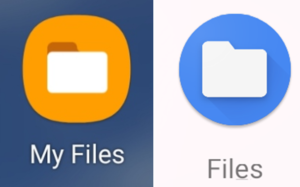
Open File explorer app. (There should be in your device)
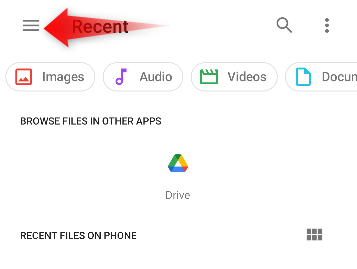
Tap 3 lines
Go to Downloads.
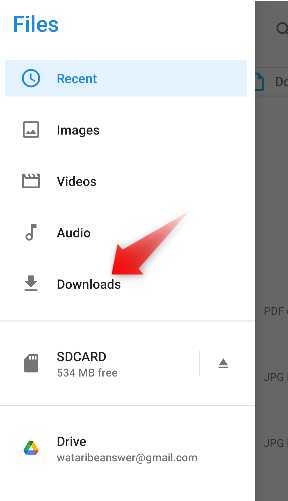
PDF is here. Name starts bp~.
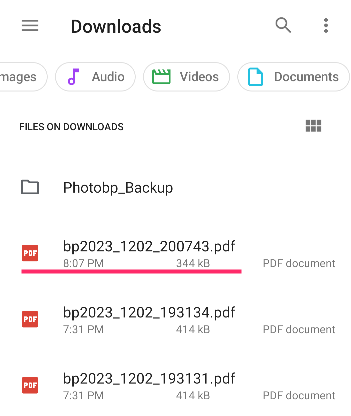
For Ver.12.3 or later, these are in PhotoBP_PDF folder.


When connect your device to PC, PDF is in
Phone > Download
SDCard > Download
FAQ for PDF

General
TwitterFacebookはてブPocketLINEPinterest
Celestial Brain -Mobile app developer-

FAQ page

Instant BP Tracker on Google Play Store

Related posts

General

CSV export

This feature is available from Ver.12.7 (Update the app). You can export past blood pressure records in CSV format. ...
General

How to mute / reduce volume of Ads?

In this app, video ads may play during the short waiting time for camera recognition. By default, these ads should pl...
General

Time period included in morning & night average

You can change the time period when the average value is calculated when multiple measurements are taken on the same...
General

Treat measurements taken after midnight as part of the previous night.

“I measured my blood pressure before going to bed, but it was already past midnight!💦” If you want measur...
General

Using BP list

Tap to View Details Tap a record to view its details. Delete a Record If you want to delete the record itself, ...
General

How to use custom measurements?

In the free version of this app, you can create and record 1 custom measurement item such as weight, body temperature, o...
Where are the photos taken with the app?
How to create Printable PDF?
ホーム
Instant Blood Pressure Tracker
FAQ
General

Reminder FLEX FAQ

BP Log: Scan & Go FAQ


Reminder FLEX nagging you so you won't miss your tasks. Super easy yet flexible.

Recent Posts

  • 10-Minute Repeat Reminder: Voice Notifications for Android
  • How to change default alert type?
  • Cancel subscription & Check the next billing day for Reminder FLEX
  • What happens after the free trial ends? [Reminder FLEX]
  • Record Multiple Blood Pressure Readings Android App
Celestial Brain -Mobile app developer-
  • Contact us
© 2022 Celestial Brain -Mobile app developer-.