Skip to content
Reminder FLEX & Instant Blood Pressure Tracker android app official site
Celestial Brain -Mobile app developer-
  • Google Play Store
    • Reminder FLEX
    • Instant BP Tracker
  • Reminder FLEX FAQ
  • Instant BP FAQ
  • News & updates
  • Contact us
  • Reminder FLEX FAQ
  • Instant Blood Pressure Tracker FAQ
  • Google Play Store

Backup

Backup

Send a backup file with Email

How to send a backup file saved on your device by email.After saving the backup to the Downloads folder, open a file exp...
2025.08.10
BackupBackup
Backup

How to transfer data to a new device

We will explain how to transfer data from your old device to your new device.Settings → Backup and RestoreHere, create a...
2025.08.10
Backup
Backup

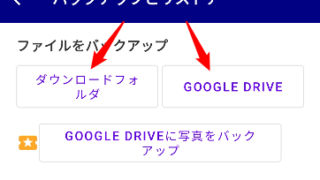
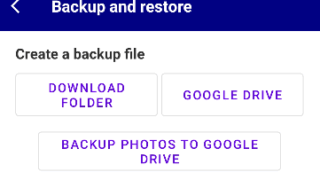
How to use backup feature?

Just press the button, immediately start making a backing up data.E.g. if you press "Downolad foloder", the backup data ...
2025.06.08
Backup
Backup

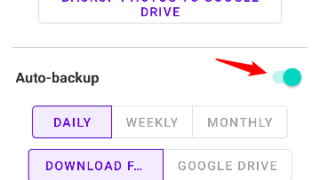
Auto-backup feature

You can backup your data automatically. Select backup period: Daily, Weekly, Monthly Select backup place: your device's ...
2025.06.08
Backup
Backup

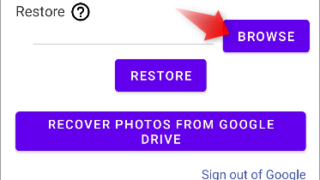
How to restore the backup data?

Where is backups?In the device:Downloads > Photobp_BackupGoogle Drive:Google Drive > My Drive >  Photobp_BackupPhoto bac...
2023.10.06
Backup
Home
Blood Pressure Log: Quick Scan
FAQ
Backup

Reminder FLEX FAQ

Instant Blood Pressure Tracker FAQ


Reminder FLEX nagging you so you won't miss your tasks. Super easy yet flexible.

Recent Posts

  • How to Fix Incorrect or Missing Records in the Record List Using Recalculate Averages
  • Show note excerpts instead of icons in the All and Daily lists
  • Instant Blood Pressure Tracker Privacy Policy
  • Change Speed of Text-to-speech (Read too fast/slow)
  • Hide BP photos from the Gallery on Samsung Galaxy
Celestial Brain -Mobile app developer-
  • Contact us
© 2022 Celestial Brain -Mobile app developer-.