PRO

Cancel subscription & Check the next billing day

Open Google Play Store app.Tap your account.Then follow below.Press "Cancel subscription" and done.Also you can know whe...
PRO
What happens after the free trial ends? [Reminder FLEX]

Some features in Reminder FLEX marked with a ★ are premium features.Many of these premium features come with a free tria...
Articles

Record Multiple Blood Pressure Readings Android App

Have you ever felt like your blood pressure readings keep changing every time you measure them?In reality, blood pressur...
Tips

Thai language & Thai buddhist year supported Reminder app Android

Have you ever felt that some reminder apps are difficult to use because they display years in the Gregorian calendar?Man...
Tips

Reminder App with Full-Screen Notifications on Android Lock Screen

"I keep swiping away important notifications out of habit.""I missed an important task because it got buried under too m...
Articles

Scan Blood Pressure Monitor & Log Readings Automatically with Android App

Many people already own a blood pressure monitor at home. You measure your blood pressure regularly, but recording the n...
General

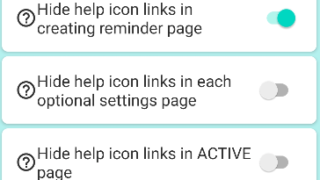
Hide tips & (❓) links

If you are using the Paid PRO version, you can hide the (❓) links/hint links/tips links/help links by following the step...
General

Calender View: How to show

You can switch by tapping the calendar icon in the upper right corner.You can set the calender as default from settings
Snooze

Snooze or “Postpone to Tomorrow” Button Not Showing? Here’s Why

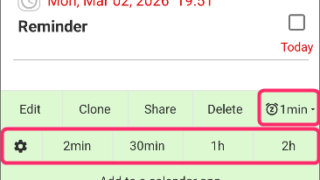
These one-tap snooze buttons appear automatically only when certain conditions are met. (This also applies to the snooze...
General

Red/Yellow bell icon is appearing on the settings icon

This guide explains the causes and solutions for when a yellow or red bell icon appears on the Settings icon.If these ic...