the Full-Screen Notification feature has been implemented. (from Ver.28)
In the case of a standard notification, it appears like this: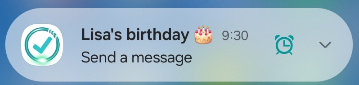
By selecting “Notification” on the setup screen,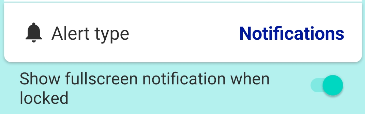 and turning ON “Show full-screen notification when locked,”
When a notification arrives while the screen is locked,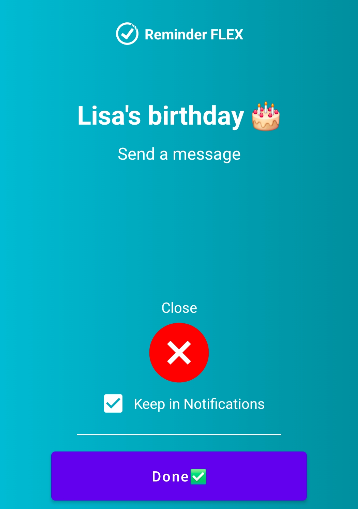 a full-screen notification will appear like this.
*If no action is taken, it will switch to a standard notification after 45 seconds.
*If an alarm or Text-to-speech triggers at the same time, a full-screen notification will not appear, and a standard notification will be shown instead.
*Notify me in Advance (Advence notifications) will not be full-screen and will be normal notifications.