When you export blood pressure and pulse rate data via Health Connect, you may feel that only the pulse rate is not displayed in Google Fit. However, if you check it as shown below, you can confirm that it is actually displayed.
This is due to how Google Fit displays the data, so there is a small trick to viewing it.
Go to Browse → Vitals.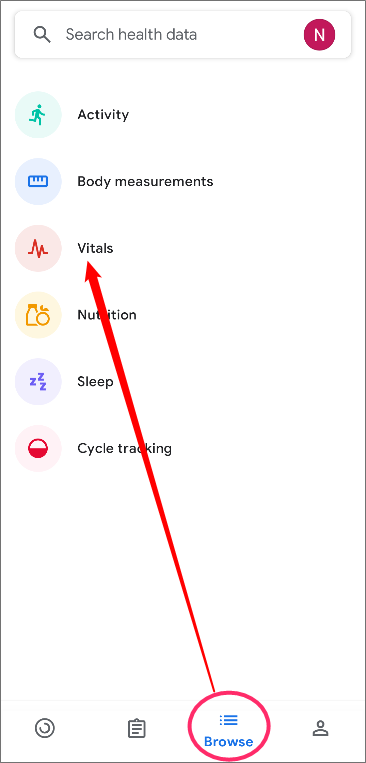
Tap “Heart rate (No recent data).”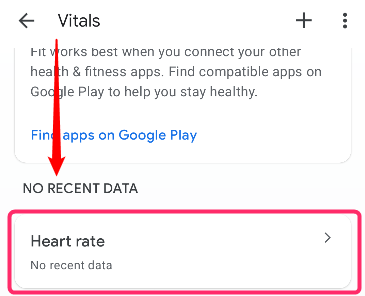
Then tap < to go back to the date when you last measured it. For example, if your pulse rate on that day was “70,” the value is actually recorded as 70 bpm, as shown in this image. Please note that in Google Fit, pulse rate is displayed as heart rate.