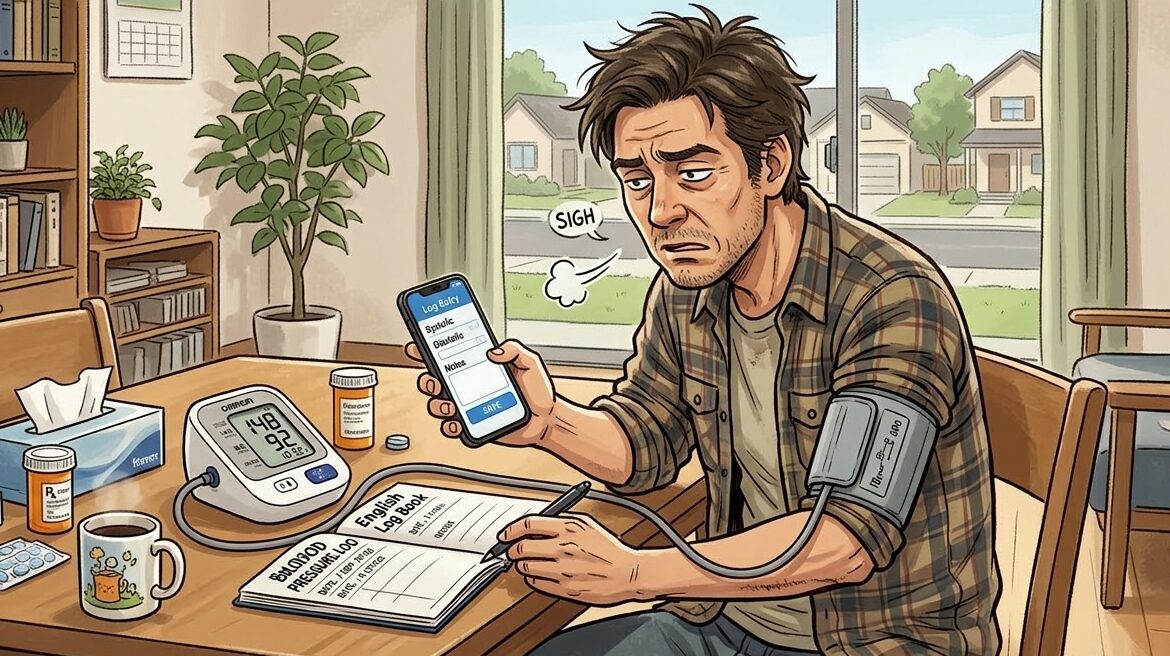
Many people already own a blood pressure monitor at home. You measure your blood pressure regularly, but recording the numbers is another story. Writing the values down in a notebook or typing them into an app every day can feel tedious. Because of that, many people simply stop tracking their readings, even though they know it would be useful for their health.
Buying a new smart blood pressure monitor that automatically syncs data can be expensive. If your current monitor works perfectly well, replacing it just for syncing may not feel worth it.
The good news is that you can keep using the blood pressure monitor you already have. With the Android app Instant Blood Pressure Tracker, you can simply point your phone’s camera at your monitor screen. The app scans the display, reads the numbers using OCR, and logs your blood pressure and pulse automatically. No typing is required.
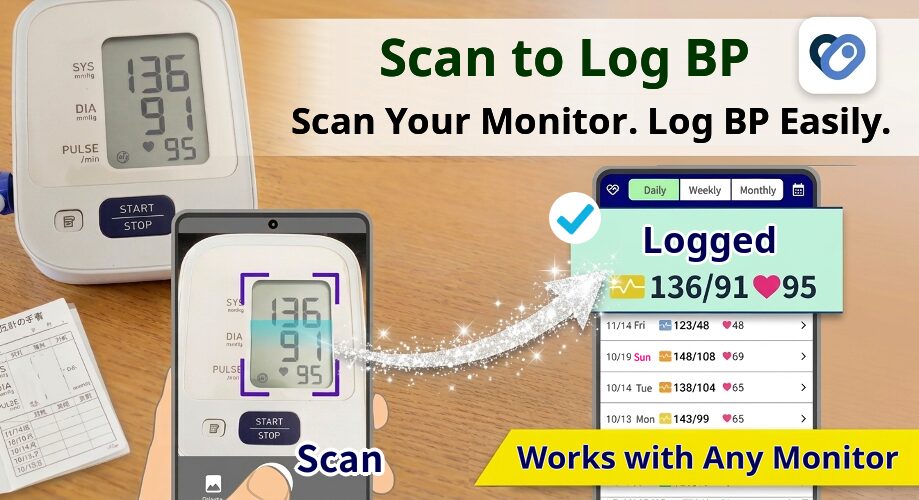
This simple process makes tracking your blood pressure easier and much more likely to become a daily habit.
- Features of Instant Blood Pressure Tracker
- Scan and read your blood pressure monitor with OCR
- Works with many blood pressure monitor brands
- Log multiple readings whenever you measure
- Track and analyze your blood pressure trends
- Flexible tracking with additional data
- Health Connect integration
- Calendar and list views
- Export your data when needed
- WHO guideline color indicators
- Backup and restore your data
- Add photos and notes to your records
- Frequently Asked Questions
- Start Tracking Your Blood Pressure the Easy Way
Features of Instant Blood Pressure Tracker
Scan and read your blood pressure monitor with OCR
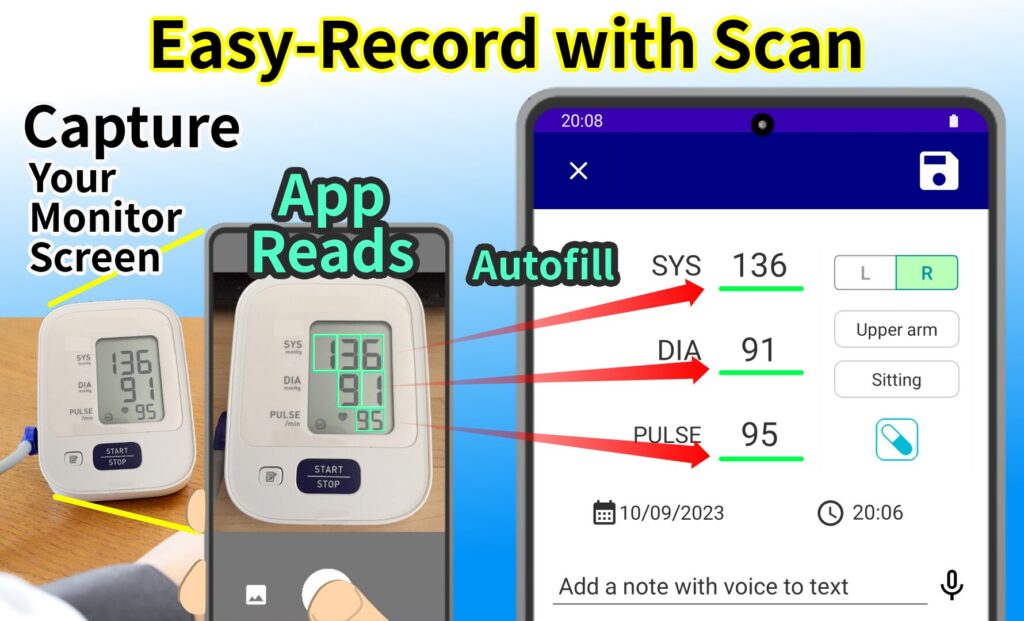
Instead of typing numbers manually, you can scan the digital display of your blood pressure monitor using your phone’s camera. The app reads the values on the screen and records systolic pressure, diastolic pressure, and pulse automatically. This OCR feature works with many digital blood pressure monitors.
Works with many blood pressure monitor brands
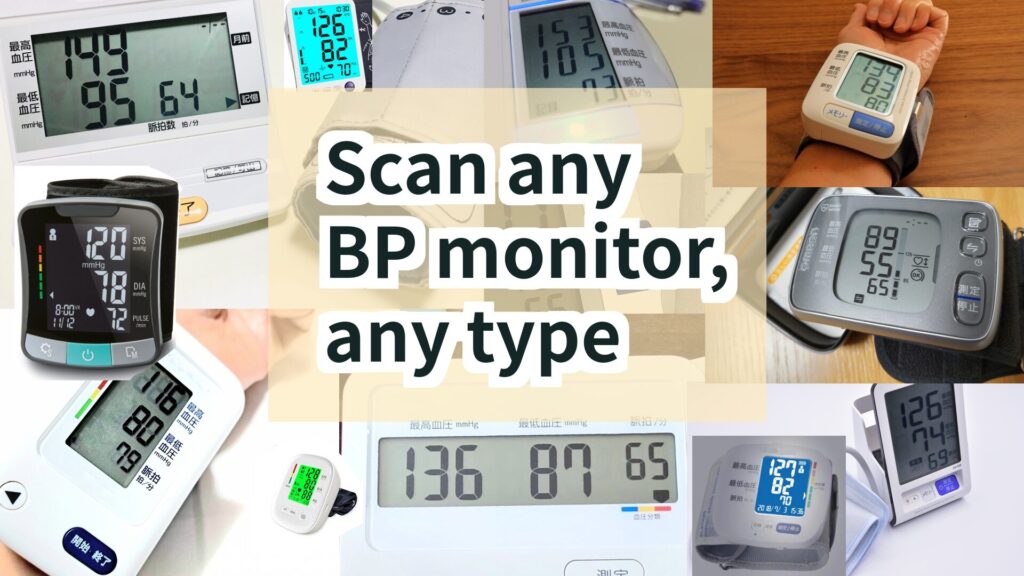
You can use the app with a wide range of monitors, including devices from Omron and other manufacturers. Both upper arm and wrist blood pressure monitors with digital displays can be scanned and logged.
Log multiple readings whenever you measure
Even if you measure your blood pressure multiple times, such as three times in the morning, all readings can be recorded. Average blood pressure for the morning, evening, daily total, and for the left and right arms is automatically calculated.
Track and analyze your blood pressure trends
Your blood pressure history can be viewed as graphs that show how your readings change over time. The app also displays helpful information such as average blood pressure, morning and evening differences, and pulse pressure.
Flexible tracking with additional data
You can record more than just blood pressure. The app allows you to log details such as:
- which arm was used (left or right)
- whether the measurement was taken on the upper arm or wrist
- posture during measurement
- medication taken
You can also add custom items such as weight or body temperature if you want to track additional health information.
Health Connect integration

The app supports Health Connect, allowing synchronization of blood pressure and heart rate data. It can also import information such as weight, body fat, lean body mass, steps, distance, body temperature, and calories burned from compatible apps.
Calendar and list views
Your measurements can be viewed in either a calendar format or a chronological list. This makes it easy to quickly check your recent readings or review past records.
Export your data when needed
You can export your blood pressure records as PDF files for printing or as CSV files for spreadsheets. This can be useful when sharing your history with a doctor.
WHO guideline color indicators
Each reading is displayed with color coding based on World Health Organization blood pressure guidelines. This makes it easy to understand your current blood pressure stage at a glance.
Backup and restore your data
You can create backups on Google Drive or store them locally on your device. If you change phones in the future, your records can be restored easily.
Add photos and notes to your records
The app allows you to attach photos related to your health, such as meals or physical condition. You can also add diary entries or notes using voice input.
Frequently Asked Questions
Q: Is this app free to use?
Yes. Most features, including reading blood pressure monitor readings and logging them automatically, are free. There is no limit on the number of records you can save in the free version.
Q: Can the app measure blood pressure by itself?
No. Instant Blood Pressure Tracker does not measure blood pressure directly. You need a physical blood pressure monitor. The app reads and records the values displayed on the monitor screen. The app is not a medical device. For diagnosis or treatment, please consult a qualified healthcare professional.
Start Tracking Your Blood Pressure the Easy Way
Tracking your blood pressure does not have to be a chore. If you already measure your blood pressure but find manual logging inconvenient, scanning your monitor with your phone can make the process much easier.
With Instant Blood Pressure Tracker for Android, you can scan your blood pressure monitor, read the numbers with OCR, and automatically log your readings. This simple workflow helps you maintain a consistent record of your health without the hassle of manual typing.
If you want a straightforward way to track your blood pressure using the monitor you already own, Instant Blood Pressure Tracker can make daily logging quick and effortless.
👉 Download Instant Blood Pressure Tracker on Google Play