Even if you use a reminder app or a calendar app,
“It only notifies me, so I didn’t notice it”
“My phone happened to be in silent mode, so I missed it”
Have you ever had an experience like this?
Especially when there is a schedule you absolutely must not forget,
you want it to alert you with an alarm that sounds even in silent mode, not just a notification.

Reminder FLEX was created for users who have these problems.
It is an Android reminder app with an alarm that can sound even while the phone is in silent mode.
Its biggest feature is that you can configure settings for each schedule so you can be sure to notice it.
Features of the alarm that sounds even in silent mode
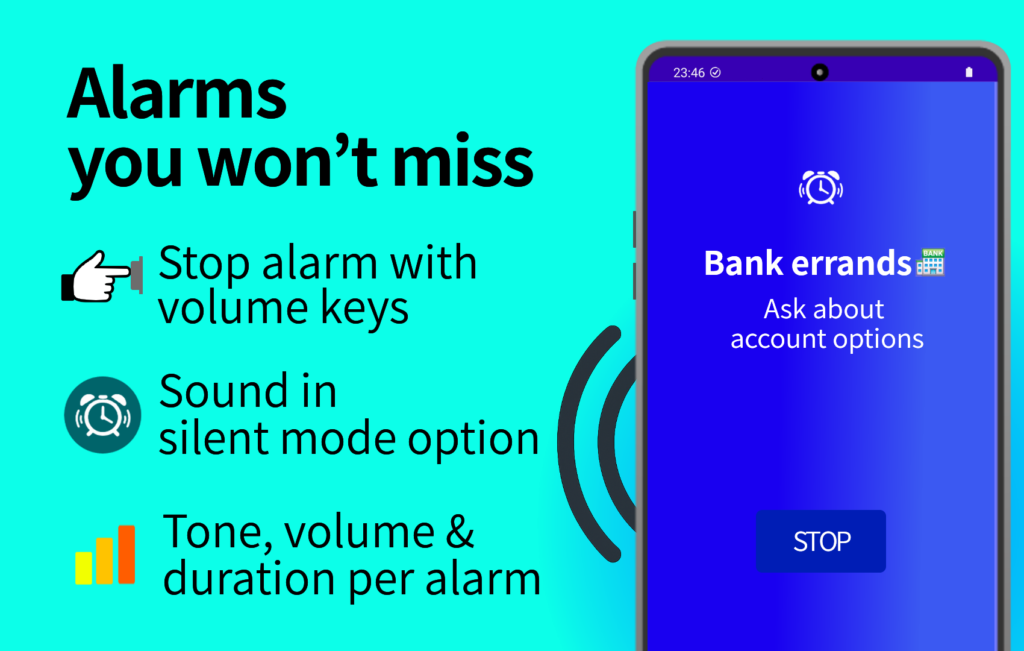
The alarm feature in Reminder FLEX is packed with functions designed to prevent missed schedules.
- Alarm can be displayed full screen on the lock screen
- You can switch whether the alarm sounds even when the phone is in silent mode
- You can choose whether it sounds even while “Do not disturb”
- Alarm tone, volume, and ringing duration can be set individually for each alarm
- You can choose whether vibration plays together with the alarm
- While the alarm is displayed on the lock screen, pressing the volume button stops the alarm
- Using snooze, you can set it to ring every 5 minutes up to 6 times, or in other flexible patterns
- Using repeat, you can make the alarm ring at the same time every day, every week, or on specific days like the second Tuesday
- For each task, you can choose one of three alert types: alarm, notification, or voice reading
“When this schedule absolutely must not be missed.”
In those moments, this alarm feature provides a level of reliability that notifications alone cannot.
Alarm feature FAQ
Q: Can it be used as a morning alarm clock?
A: The alarm feature of Reminder FLEX is designed to help you reliably notice important schedules.
It has received high praise for avoiding Android Doze mode and optimization modes to ring accurately at the set time.
However, depending on device specific power saving settings or manufacturer specific behaviors such as automatic early morning restarts, there may be very rare cases where early morning alarms do not work correctly.
Because of this, if waking up is absolutely critical, we recommend using it together with the device’s built in alarm app, which is not affected by device optimization features.
For daytime reminders or schedules you need to notice without delay, it works with precise accuracy down to the minute, so please feel free to use it with confidence.
Q: Can I use my own MP3 or custom audio files as alarm sounds?
A: Yes, you can.
Please see the guide below for detailed setup instructions.
→ How to use your own music or audio as an alarm sound
Q: It is good that it sounds in silent mode, but what if I do not want it to ring during a sudden meeting?
A: You can temporarily mute all alarms, notifications, and voice alerts by turning on the “Mute all alerts” switch.
Alternatively, you can turn off the “Sound alarm even in silent mode” switch temporarily and put your phone into silent mode, which will switch the alarm to vibration only.
Examples of how to use the alarm feature
Start time of work meetings
Many people keep their phones in silent mode during work,
but still want important meetings or client appointments to be alerted by an alarm.
In that case, you can set normal schedules to notifications (vibration only in silent mode),
and only critical schedules to alarms (sound even in silent mode plus vibration),
allowing you to adjust alerts depending on the importance of your work.
Doctor appointment reminders
When you have a doctor’s appointment, you can set the departure time as a reminder so the alarm alerts you when it is time to leave.
Tasks that must be done today
For things like document submission, bank transfers, or time limited online sales,
you can set snooze to every hour so the alarm rings repeatedly throughout the day,
helping you notice it multiple times and complete the task even on busy days.
Summary: When notifications are not enough, use a reliable alarm
Reminder FLEX is not just a reminder app that sends notifications.
With its alarm feature that can sound even in silent mode,
it helps reduce missed alerts and supports you in taking action at the right time.
If you do not want to miss important schedules,
we invite you to install Reminder FLEX and experience the alarm feature for yourself.