“While working, you suddenly remember something you need to do and want to set a reminder quickly.”
“You want to set a reminder instantly so your food does not burn while cooking.”
But at moments like these, you still have to select a date and time, enter a title, adjust settings…
Doesn’t setting a reminder often feel too complicated and slow to be useful?
The smaller the task, the more you want to set it quickly, easily, and with as few taps as possible.
That is exactly the problem solved by the Android reminder app “Reminder FLEX”.
With Reminder FLEX,
you can set reminders for tasks and plans the moment they come to mind, fast and effortlessly.
Why Reminder FLEX lets you set reminders quickly and easily
Reminder FLEX is packed with features designed for people who want to set reminders as fast as possible.
Quick title setup
You can set a reminder without entering a title.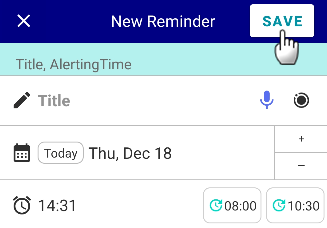
If you simply tap “Save” without entering a title, the reminder is automatically saved with the title “Reminder”. This allows you to use it like a quick timer without typing anything.
Voice input for text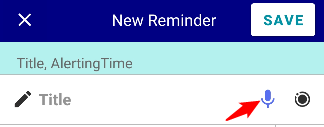
You can use voice input for reminder titles and notes.
Voice input works with most languages supported on your device.
→ How to set voice input language
Easy title selection from suggestions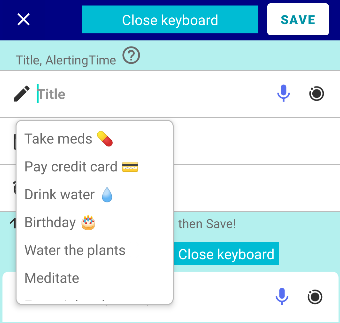
When you tap the title field, suggestion options appear.
Frequently used titles are automatically added, so you can set a title with just a tap.
You can also manually register titles and pin them for quick access.
Quick time setup
Register up to 2 frequently used times as buttons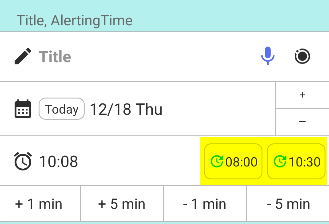
By setting your commonly used times as buttons, you can set the time instantly with a single tap.
Plus & minus buttons for instant minute adjustment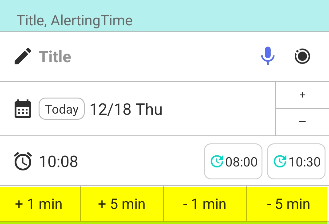
When setting the time, you can easily adjust minutes using the plus and minus buttons, allowing you to set 5 minutes later or 3 minutes later instantly.
Set a default time based on the current time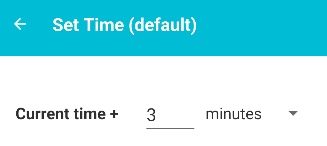
You can configure the reminder screen to automatically open with the current time plus a preset number of minutes. If you often set reminders for 3 minutes later, setting +3 minutes as the default makes setup much easier.
Set reminders effortlessly with shortcut features
Save frequently used settings as Quick Sets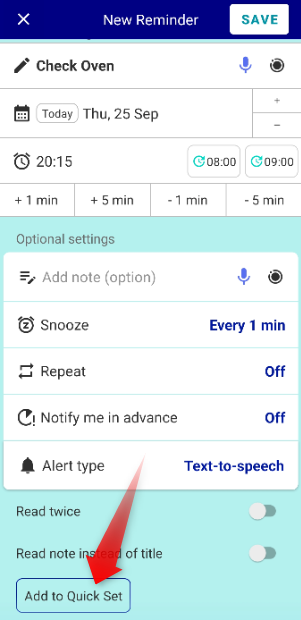
By registering your settings as a Quick Set, detailed options such as alert type and snooze settings are saved. Next time, you can set the same reminder instantly just by selecting it from the suggestions.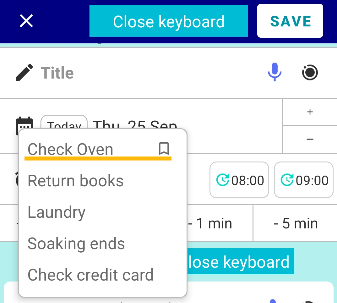
Customize default alert types and snooze settings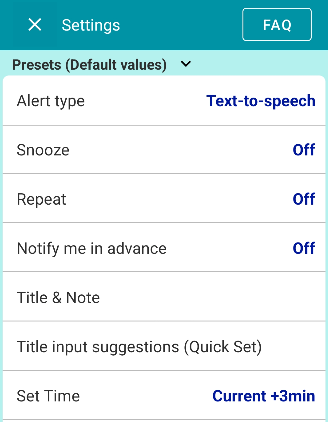
Reminder FLEX supports 3 alert methods: voice readout, notification, and alarm.
You can also configure snooze, repeat, and advance notifications. For example, if you often use voice alerts, you can set voice readout as the default option.
Duplicate existing reminders for reuse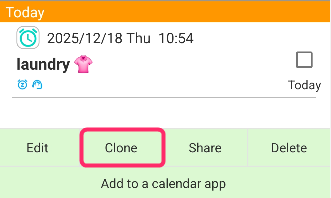
You can duplicate an existing reminder and quickly create multiple reminders by changing only the date and time.
Home screen shortcuts and widgets available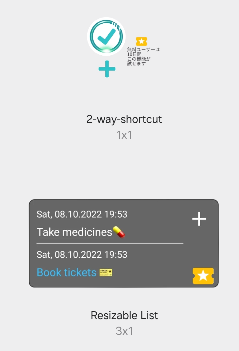
By placing shortcuts or widgets on your home screen, you can jump directly to the reminder creation screen with a single tap.
By combining these features, almost no typing, one tap setup becomes possible.
Quick setup feature FAQ
Q. Are all quick setup features free?
Some features are exclusive to the PRO version, but even the free version allows unlocking through mini games and trial usage.
Usage examples by situation
For tasks that come to mind while working
Sudden tasks like
“send later” or “check again in 15 minutes”.
You can register them instantly by selecting from Quick Sets or title suggestions. Notes can also be entered quickly using voice input.
With the duplicate feature, even repetitive daily reminders can be set in seconds.
As a burn prevention timer while cooking
To prevent toast or fried food from burning, you can set a reminder for 5 minutes later,
then add snooze alerts every minute up to 15 times.
Setting this every time while cooking would be inconvenient,
so you can save it as a Quick Set favorite.
Next time, simply select it from Quick Sets when you start cooking.
Every minute, a voice alert warns you with “burn warning”, helping you check the food regularly and avoid burning mistakes.
The faster you want to set reminders, the more useful Reminder FLEX becomes
Reminder FLEX is designed to remain easy to use even with many powerful features.
- Fast
- Easy
- Fewer taps
If these points matter to you when choosing a reminder app, you will likely find Reminder FLEX very comfortable to use.
Why not free yourself today from the frustration of slow reminder setup?